
Advice and answers from TheSports team
How to calculate the general match progress time?
How to calculate the adding time for each half?
How to calculate the time for overtime?
>>
How to calculate the general match progress time?
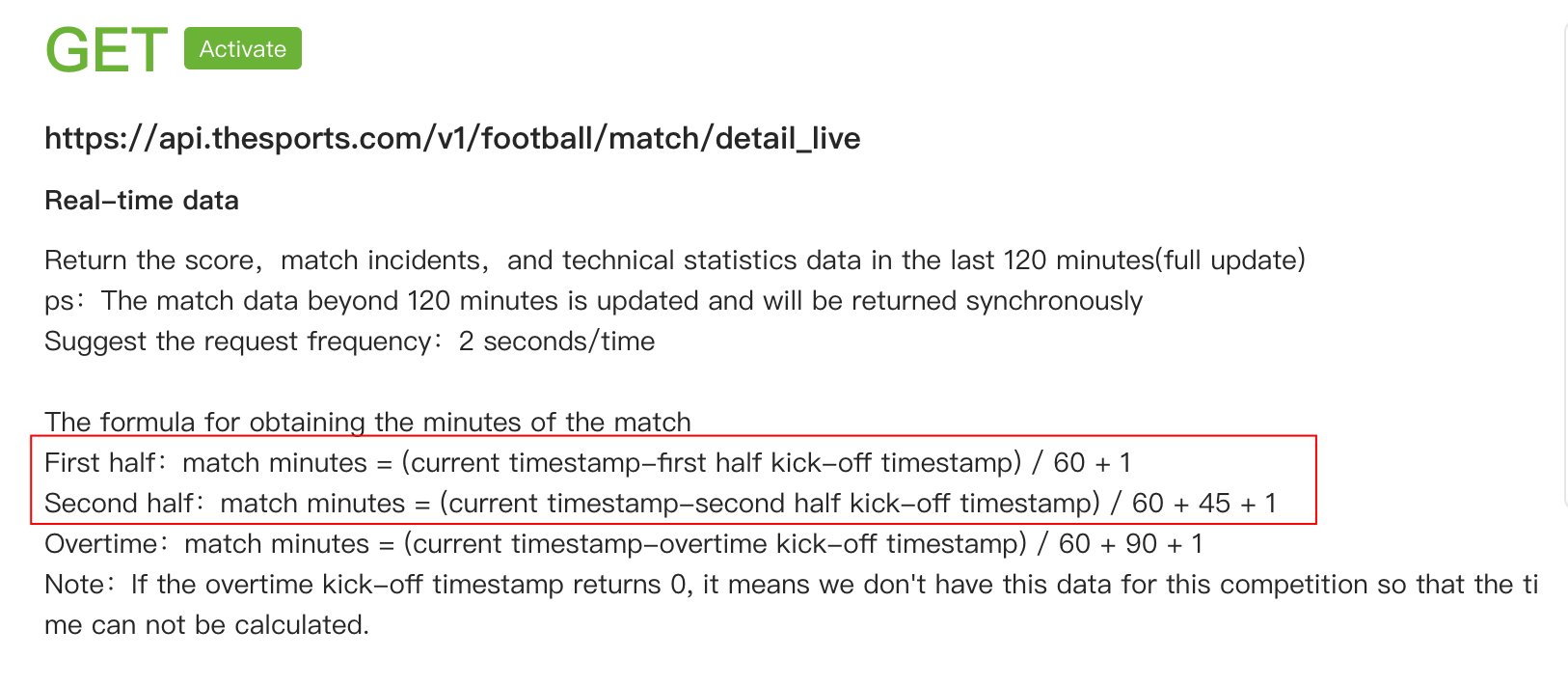
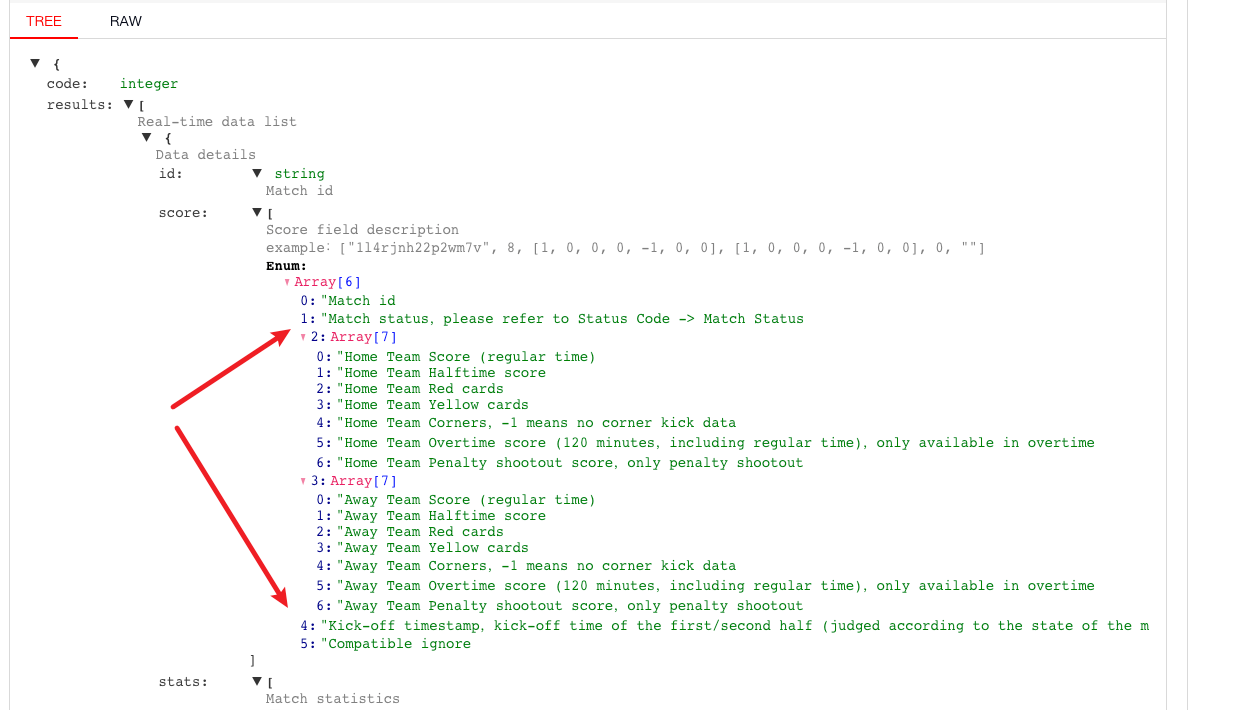
The "Real-time data" interface has a "Kick-off timestamp" field. You can combine match status and formula to calculate match progress time.
"Kick-off timestamp" will change in real time.
When the "match status" is the first half, the returned "Kick-off timestamp" is the kick-off time of the first half.
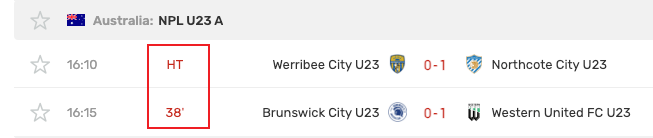
When the "match status" is halftime, you can stop time calculation and directly display the halftime status.
When the "match status" is the second half, the returned "Kick-off timestamp" is the kick-off time of the second half.
How to calculate the adding time for each half?
Currently, we do NOT provide the time calculation for adding time.
If you want to calculate the adding time, you can done by yourself.
For example, recording the timestamp for 45-mins end and then using the live timestamp to minus the 45-mins timestamp. Or any other ways can try.
How to calculate the time for overtime?
We have newly provided the 'overtime kick-off timestamp' and the related formula.
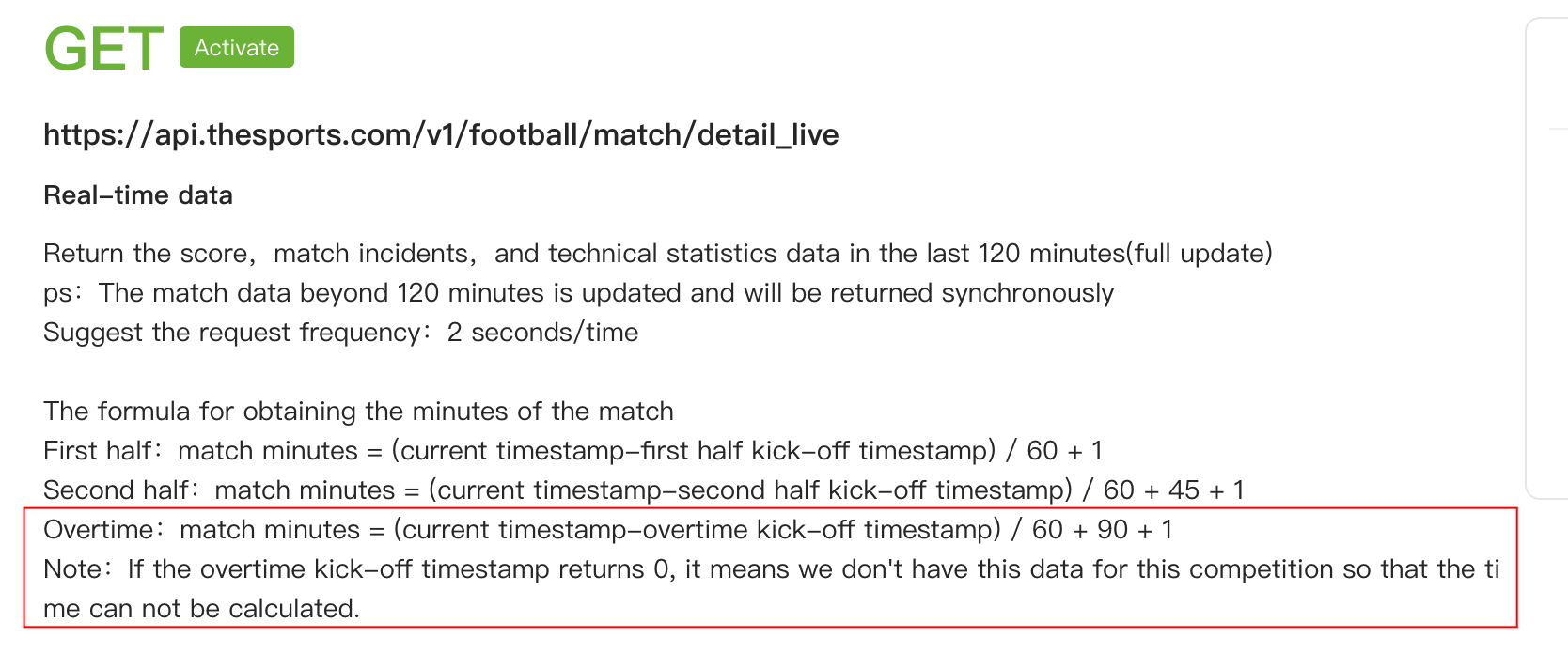
But it needs to be mentioned that for some low-level competitions, they may not have overtime kick-off timestamp provided and this field will be 0 during the overtime. If so, you can NOT calculate the overtime match minutes for those matches.
By the way, since there's no halftime match status for overtime, the time is still being calculated during the halftime break in overtime, which cannot be optimized at present.
When the second half of overtime begins, the overtime kickoff timestamp will be updated automatically with adding the halftime break.
Therefore, you just need to use the same calculation formula for both the first half and second half of overtime.
Did this answer your question?
😞 😐 😄